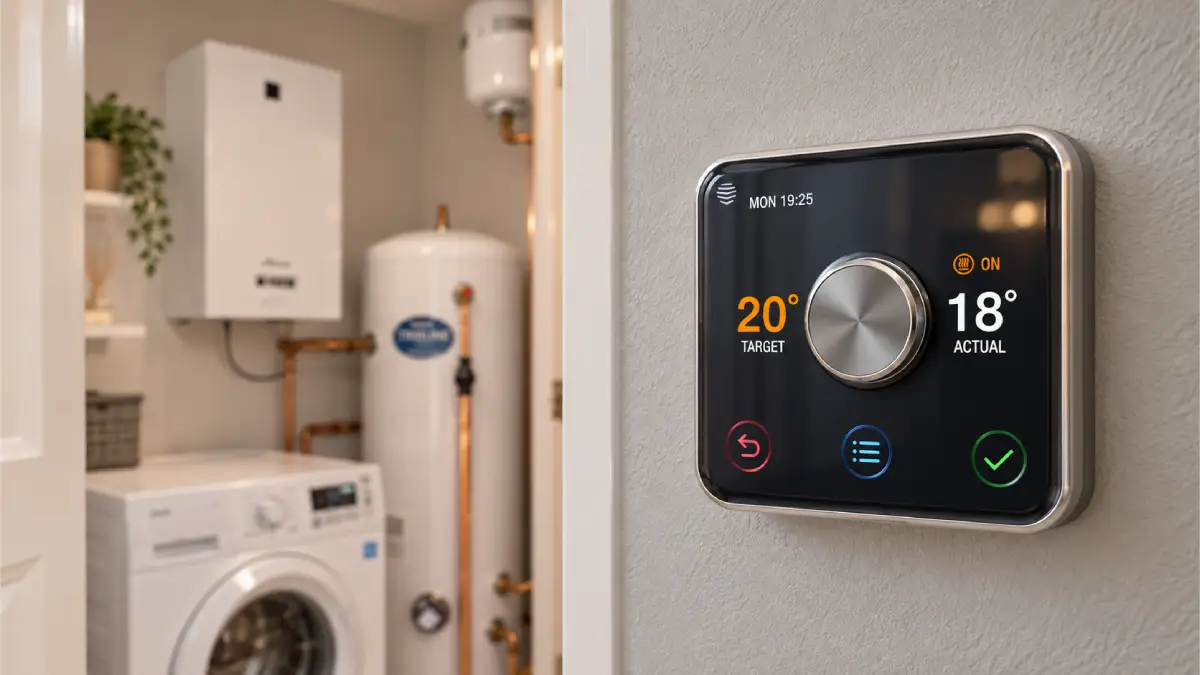
Hive active heating smart thermostat displaying target temperature with UK boiler room in background

Can Hive Smart Automate Hot Water Based on Heating Time? (And the UK Boiler Myth)

With energy bills in the UK remaining a top concern for homeowners, many of us spend hours tweaking our smart thermostats to squeeze out every drop of efficiency. Naturally, if you own a Hive system, you might have wondered about setting up a clever conditional rule: “If my central heating has already been running for an hour today, can Hive automatically skip my next scheduled hot water cycle?”

It sounds like a logical, energy-saving hack. However, when you dig into how the Hive ecosystem works—and more importantly, how British plumbing is wired behind your walls—you quickly realize that achieving this requires more than just toggling a setting in the app.
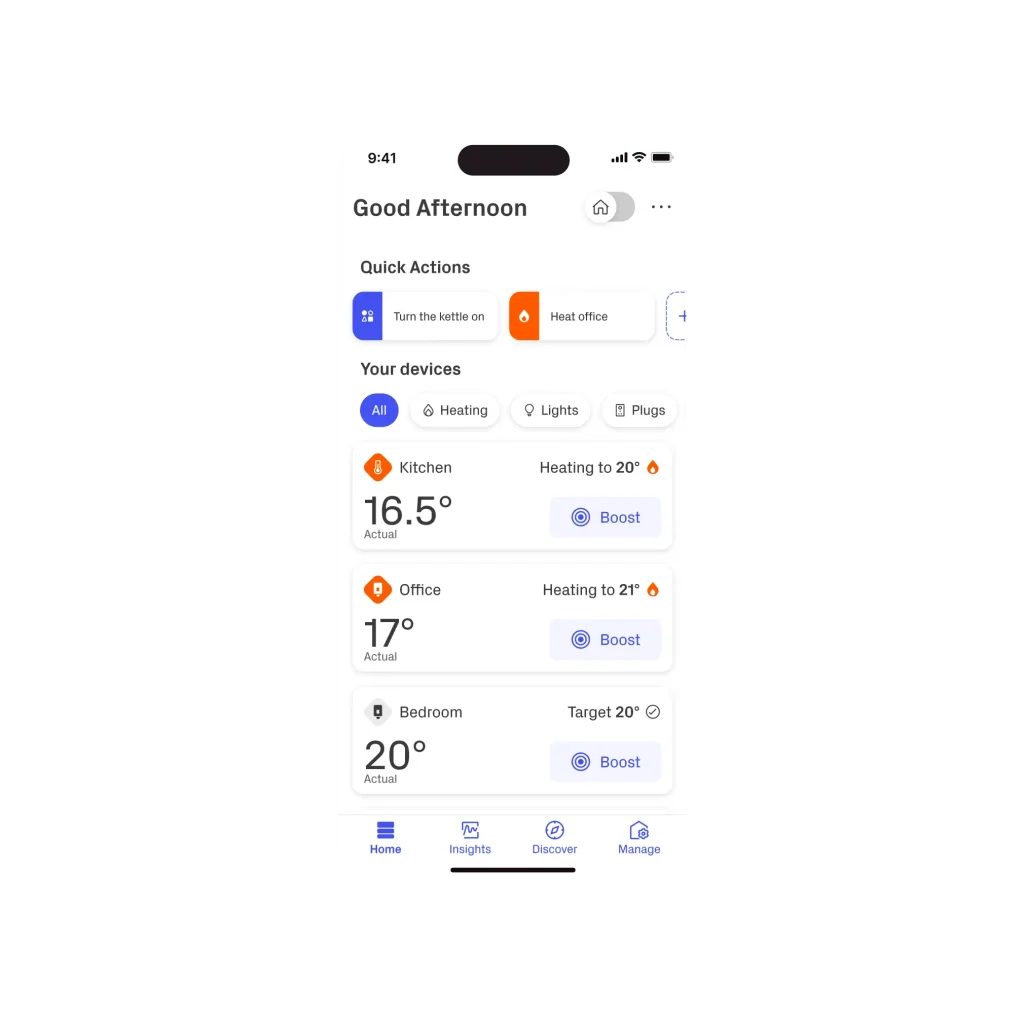
Hive Smart Thermostat and Mobile App Interface
The Hive app offers great remote control, but native conditional automations are surprisingly limited.

1. The Hive App Limit: Why You Can’t Set “If/Then” Rules

If you open your Hive app right now and head over to the Actions or Schedules tab, you will quickly hit a wall. Hive’s native software is built for simplicity, catering to the average user who just wants straightforward time-and-temperature schedules.

The app simply cannot process conditional logic based on historical data (e.g., checking boiler runtime over the last 24 hours). If you want true smart automation for your heating, you have to look outside the official Hive ecosystem:

  • Apple HomeKit: If you use an iPhone or Apple Home hub, you can integrate Hive to build multi-device automations. However, tracking historical boiler hours still requires complex third-party shortcuts.
  • Home Assistant (The Power User Option): Integrating your Hive hub into Home Assistant opens up endless possibilities. You can write custom YAML scripts that monitor actual heating hours, outdoor weather forecasts, and tank temperatures to trigger or pause hot water cycles automatically.

2. The “Free Hot Water” Myth in UK Homes

To understand why skipping a hot water cycle might not actually save you as much gas as you think, we need to bust a very common misconception in British households.

Many people believe that when the central heating is running and pumping hot water to the radiators, the hot water cylinder gets heated “for free” as a side effect. Therefore, they try to manually turn off the hot water schedule whenever the heating is active, assuming it’s redundant.

Honeywell 2-Port Motorized Zone Valve next to UK Combi Boiler
Modern UK plumbing uses motorized zone valves (like this Honeywell 2-port valve) to physically isolate heating from hot water circuits.

Here is the mechanical reality of modern UK plumbing systems (specifically S-Plan and Y-Plan setups):

  1. Isolated Circuits: Your system relies on motorized zone valves (usually brass bodies with silver or white plastic tops made by Honeywell or Drayton). When heating is requested, one valve opens to feed the radiators. When hot water is requested, a completely separate valve opens to feed the coil inside your hot water cylinder.
  2. Thermodynamics Matter: Your boiler burns gas to generate thermal energy. Pushing heat to both radiators and a water cylinder requires the boiler to work harder and burn more gas than feeding radiators alone. There is no such thing as “free heat” passing passively into your water tank in a modern sealed system.
Diagnostic Warning: Does your hot water cylinder get hot every single time your radiators are on—even when hot water is explicitly turned OFF in the Hive app? This isn’t a feature; it’s a fault! It usually means your motorized zone valve is mechanically stuck open and needs replacing by a plumber.

3. How to Actually Optimize Your Hive Hot Water Schedule

Instead of over-complicating your setup with custom Home Assistant code or trying to outsmart your boiler, sticking to a few practical rules will deliver maximum energy savings with minimal hassle:
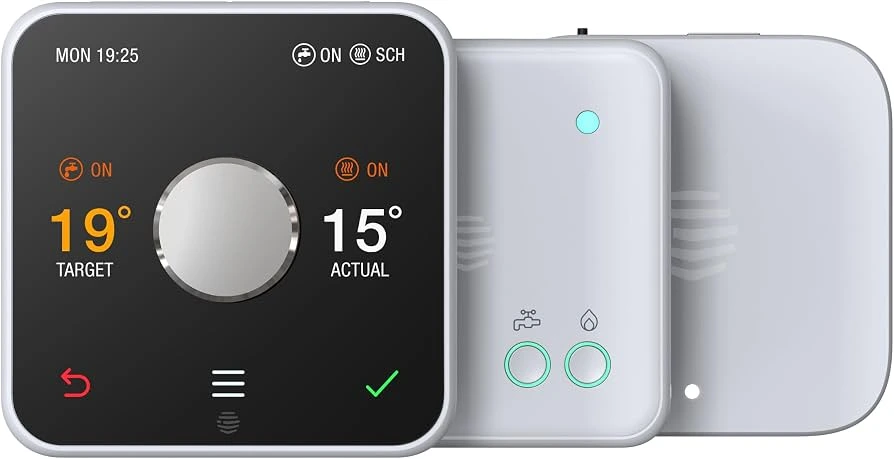
Hive Dual Channel Receiver Status Lights
Check the Central Heating and Hot Water green indicator lights on your Hive dual-channel receiver.
  • Short, Targeted Cycles: A modern, well-insulated hot water cylinder (like a Megaflo or copper cylinder with a thick foam jacket) can retain heat for up to 24 hours. You usually only need to run hot water for 30 to 45 minutes once or twice a day—ideally right before peak usage times (like morning showers).
  • Trust the Cylinder Thermostat: Ensure your hot water cylinder has a strap-on thermostat wired directly to your Hive receiver. Set it to 60°C (to prevent Legionella bacteria while avoiding overheating). Once the tank hits 60°C, the thermostat cuts power to the zone valve, shutting off the boiler automatically—regardless of your schedule!

4. Frequently Asked Questions (FAQ)

Q: Can I replace my broken Hive thermostat without changing the receiver?

Yes! As long as your existing dual-channel receiver on the boiler is functioning, you can buy a standalone Hive thermostat (or Hive Hub) and pair it to the existing receiver by putting the receiver into pairing mode (holding the Central Heating button until the status light flashes pink, then amber).

Q: Why is my Hive hot water schedule not turning off?

First, check if your Hive app is set to “Auto” or “Always On”. If it’s on “Auto” and the app shows hot water is off, but the boiler is still firing and heating the tank, you likely have an electrical back-feed from a faulty motorized valve microswitch.

Q: Is Home Assistant hard to set up with Hive?

Setting up Home Assistant requires a dedicated device (like a Raspberry Pi) and some technical patience. However, once installed, the official Hive integration connects easily using your standard Hive login credentials, unlocking advanced automations that the stock app cannot offer.

Leave a Reply

Your email address will not be published. Required fields are marked *